




Why Is Data Protection Crucial? Why Shouldn’t Organizations Overlook It?
In today’s world, where data is one of the most valuable assets, many people might think that “data protection” is all about backups—keeping data safe for emergencies so it can be restored if lost. While backups are part of the equation, there’s much more to data protection than meets the eye.
Let’s dive into what data protection truly is, why it’s so important, and—most importantly—what happens if you ignore it!
What Data Needs Protection?
Every organization deals with a variety of data types, including:
- Text Files: Simple documents like Notepad files.
- Image Files: Photos and graphics (e.g., JPG, PNG).
- Document Files: Business documents like Word or PDF files.
But what about more critical data?
For instance, accounting records, financial information, or customer data—these are not just simple files but integral parts of complex systems, such as:
- Accounting Systems
- Databases
This type of data is the “heartbeat” of a business. If it’s lost, altered, or destroyed, the impact could bring operations to a halt and, in some cases, jeopardize the business entirely.
Risks of Ignoring Data Protection
Without proper protection, these issues can arise:
- Data Loss: This could result from hardware failure, power outages, or cyberattacks.
- Unauthorized Changes: Sometimes, you may not even know who modified the data—or when!
- Inaccessibility: Imagine a customer needs urgent information, but the system crashes. Not great for business, right?
Simply having backups isn’t enough—you must ensure the data is accurate, secure, and ready for use at all times.
Thank you for the information from Ablenet.co.th. Read more at Ablenet.
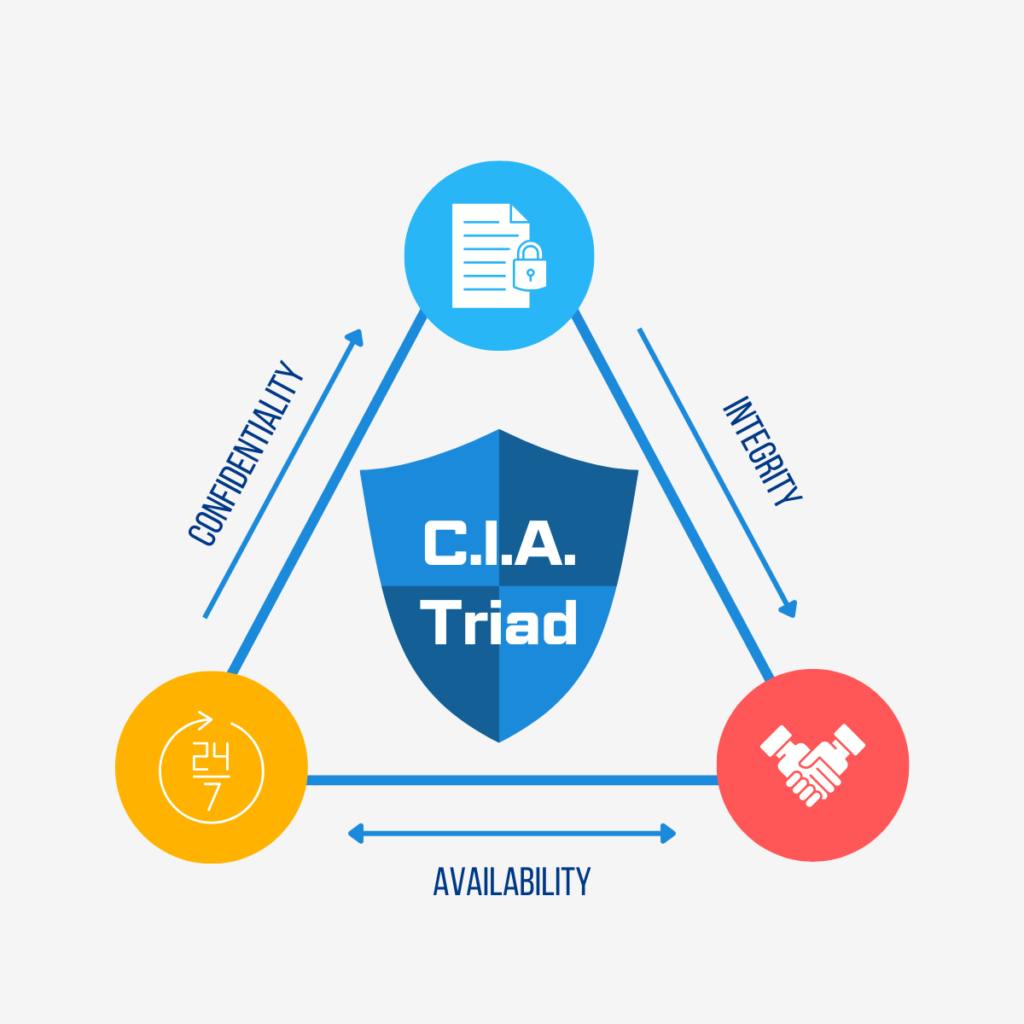
The Secret to Robust Data Protection: The C.I.A. Triad
Follow the C.I.A. Triad principles to build a rock-solid data protection strategy:
C: Confidentiality
Keep data private by restricting access to authorized users only. Implement safeguards like usernames, passwords, and access control systems to block unauthorized access.
I: Integrity
Ensure data is accurate and hasn’t been altered without permission. When sharing data, confirm that it matches the original version without any errors.
A: Availability
Make sure your data is always accessible. Solutions like UPS systems (to prevent power disruptions) and cloud storage (for 24/7 access) are essential.
Checklist: How to Get Started with Data Protection
Here’s a quick guide to implementing data protection in your organization:
- Access Control
- Check if your systems have proper access restrictions. Avoid shared accounts; ensure every user has their own unique username and password.
- Regularly review user accounts. For example, disable or delete accounts belonging to former employees. Set a routine for these reviews (e.g., every 3 or 6 months).
- Adjust permissions based on roles. If an employee transfers departments, revoke access to systems they no longer need.
- Least Privilege Principle
- Grant only the minimum level of access necessary for each user’s tasks. Assign time-limited permissions that automatically expire when no longer needed.
- Regular Backups
- Back up your data daily (or as often as needed). Maintain at least two copies—one offline for added security.
- Test your backup storage to ensure it works correctly. If you’re using cloud backups, verify that your provider can restore data within the SLA (Service Level Agreement) timeframe.
- Restore Testing
- Test your ability to restore data at least twice a year to confirm everything runs smoothly when disaster strikes.
System Readiness: On-Premise vs. Cloud
- On-Premise Servers
- Warranty Check: Is your server still under warranty? If not, renew it or consider replacing the hardware.
- UPS (Uninterruptible Power Supply): Ensure your UPS can handle outages long enough to keep operations running.
- Support Contacts: Confirm that critical systems (e.g., accounting, finance) have vendor support available in case of issues.
- Cloud Systems
- Security: Is your data encrypted or secured with a VPN? If not, this needs immediate attention.
- Backup Frequency: Confirm how often your cloud provider backs up data. Increase the frequency if it’s insufficient for your needs.
- SLA: Check whether the provider’s SLA aligns with your business requirements.
- Internet Redundancy: Use at least two internet connections to ensure uninterrupted access in case of a failure.
Protecting your organization’s data isn’t just an IT department task—it’s a shared responsibility across all levels, from executives to employees.Looking for expert advice? The Blesssky team is ready to help you design the perfect data protection plan tailored to your business. Contact us today at 02-679-8877 or sales@blesssky.com. Let us protect your data with professional care because your data deserves nothing less!