


Modern File Management Solutions That Are Secure, Flexible, and Ready for Collaboration
NAS is an organizational file storage device that does much more than just store data. It helps teams share files, collaborate effectively, and backup data securely, with cloud sync capabilities that provide an extra layer of confidence and protection.
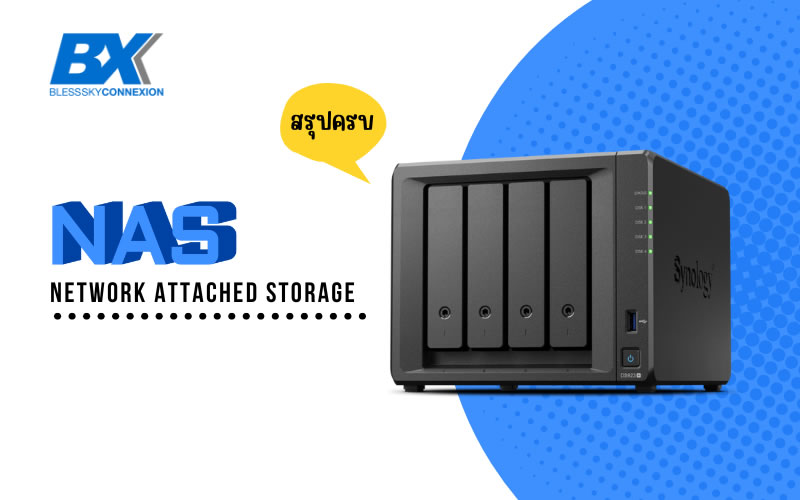
How great would it be if all your team’s work files were consolidated in one place – easily accessible, secure, and enabling seamless collaboration whether you’re in the office or working from home? With rapidly changing demands in the digital age, many organizations are starting to look for solutions that can manage data more efficiently. One increasingly popular answer is NAS Service.
So what is NAS? What can it do? And why are many organizations choosing it over traditional file storage methods? In this article, we’ll introduce you to NAS in an easy-to-understand, comprehensive, and clear way, showing how this solution can help elevate your organization’s workflow.
What is NAS?
NAS, or Network Attached Storage, is a data storage device that connects to your network, allowing other devices in your organization – whether computers, laptops, or even smartphones – to access data on the NAS in real-time.
To put it simply, NAS is like a “small server” whose main job is to store files, share files, and backup data without needing a large server or constant IT team supervision. This makes NAS perfect for small to medium-sized organizations, or even teams that need a more efficient and secure file management system.
What can NAS do?
NAS isn’t just a “central file storage” – it offers diverse functions that address modern digital workplace needs, such as:
1. Store and Share Files Together Organizations can use NAS as a central hub for storing various files and set access permissions based on each team’s role – like accounting, marketing, or management departments. This makes work more systematic and reduces risks from sending wrong files or using incorrect versions.
2. Automatic Data Backup NAS can automatically backup files from employee computers, including online services like Google Drive, OneDrive, or Microsoft 365, without having to manually save data every time.
The benefit is that if something unexpected happens – like computer failure, lost files, or accidents such as power outages, fires, or natural disasters like earthquakes or floods – important data remains safe and can be recovered. This reduces risks and allows teams to continue working smoothly.
3. Access Data from Anywhere Supports secure remote work through internet access, perfect for organizations with remote employees or multiple branches. This means accessing important data isn’t limited to just the office.
4. Works with Various Other Systems Whether it’s working with CCTV systems, media file storage, connecting to ERP systems, or even serving as a File Server for internal applications, NAS can connect and manage flexibly.
Backing Up Data from NAS to Cloud: Enhanced Security with Off-site Backup
Modern NAS doesn’t just store data within the organization – it can also backup important data directly to external Cloud providers like Amazon S3, Google Cloud, Dropbox, or Microsoft Azure.
This feature helps organizations have an Off-site Backup system that can better handle unexpected events like fires, floods, or Ransomware attacks, because backup data exists outside the physical location.
Cloud backup can be set to run automatically, scheduled at specific intervals, with encryption systems for maximum security. This gives executives confidence that critical organizational data won’t be lost, even in the worst-case scenarios.
Types of NAS: Which One Should You Choose?
- Home NAS – For general home users, easy to use, not complicated
- SMB NAS – For small to medium businesses, supports multiple users with moderately comprehensive features
- Enterprise NAS – For large organizations, supports heavy workloads with high security and deeper integration with other systems
How is NAS Different from Cloud Storage?
| Features | NAS | Cloud Storage |
|---|---|---|
| Data Ownership | You own it completely | Depends on service provider |
| Access | Through corporate network/VPN | Anywhere via internet |
| File Transfer Speed | Higher (internal network) | Depends on internet connection |
| Security | Detailed custom configuration | Relies on provider policies |
| Service Cost | One-time payment (if purchased) or monthly (if using NAS as a Service) | Monthly/annual |
Key Features Your Chosen NAS Should Have
- RAID system to protect against data loss from hard drive failures
- Snapshot system for recovering previous file versions
- Detailed User & Permission management
- Support for cloud backup (Microsoft 365, Google Workspace)
- Notification and usage reporting systems
Why Do Many Organizations Choose NAS as a Service?
| Comparison | Buy Your Own NAS | Use NAS Service |
|---|---|---|
| Initial Cost | Quite high | Cost-effective, no upfront investment |
| Security | Must manage yourself | Experts handle it for you |
| Maintenance | Additional costs | Included in full service |
| Storage Expansion | Buy additional yourself | Scale as needed |
| Data Backup | Must configure yourself | Automated management system |
| Support | Need internal IT team | Support team provided |
Who is NAS Service Right For?
- Small to medium companies wanting to organize their data systems
- Organizations with teams working from multiple locations or having Hybrid Work policies
- Businesses with critical data needing secure backup solutions
- Teams that need to share large files like graphics, videos, or research documents
- Organizations without dedicated IT teams but wanting ready-to-use systems
How to Evaluate Whether Your Organization Should Start Using NAS? Ask yourself or your team:
- Is your organization’s work data scattered across multiple sources?
- Do you regularly share files through LINE or email?
- Have you experienced lost files or used wrong file versions?
- Are you paying unnecessarily high monthly cloud service fees?
- Do you want to securely control data within your organization?
If you answered “yes” to more than 2 questions, it’s time to seriously consider NAS Service.
Real-World Use Cases
- Design Company – Uses NAS to store and share large files like 3D work files and videos
- School – Uses NAS to store important documents and student data with automatic backup
- Service Business – Uses NAS with Microsoft 365 to store emails, contracts, and quotations
NAS Service isn’t just file storage – it’s a solution that helps your organization work more efficiently in terms of collaboration, security, and flexibility.
Having a good data storage system not only reduces problems with redundant work or lost data, but also serves as a crucial foundation for growth in an era where data is more valuable than ever before.