





Introduction
Tedious paperwork and complex data analysis can eat up your workday. What if you had a smart assistant that handles repetitive tasks quickly and accurately? Microsoft 365 Copilot is designed to do just that—streamlining your workflow and letting you focus on what really matters.
What Is Copilot?
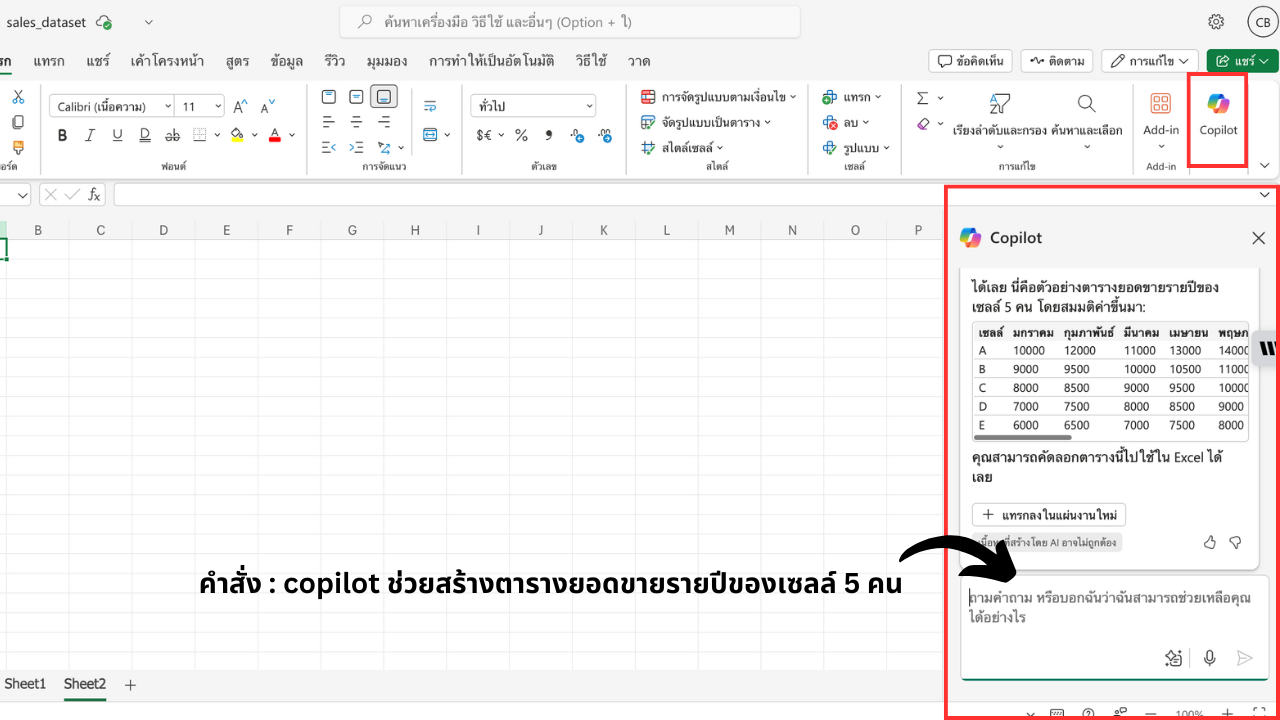
Copilot is an AI-powered helper built into Microsoft 365 apps—Word, Excel, PowerPoint, Outlook, and Teams. It can draft documents, analyze data, create presentations, manage email, and even summarize meetings, all with simple natural-language commands.
How Copilot Transforms Your Work
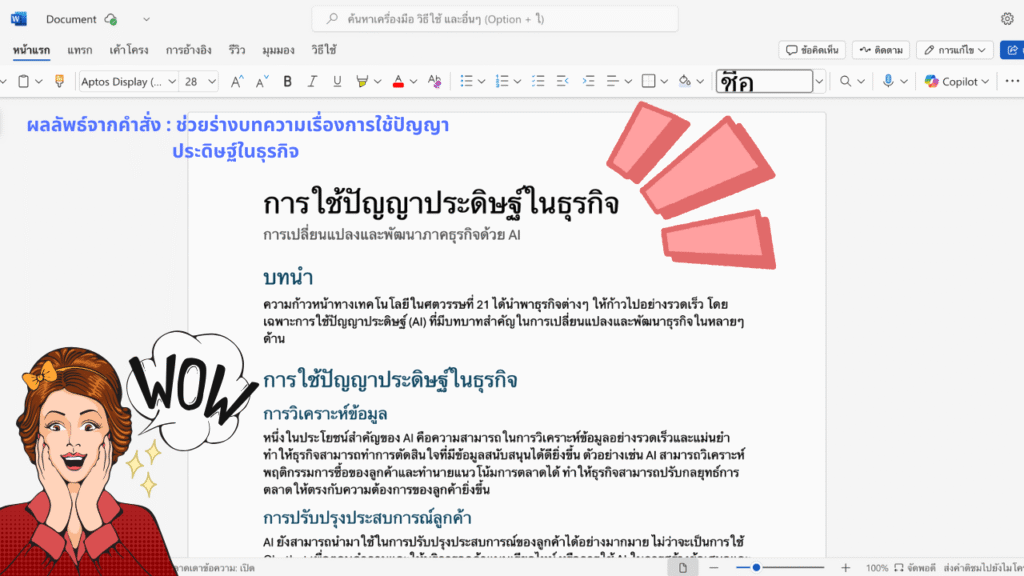
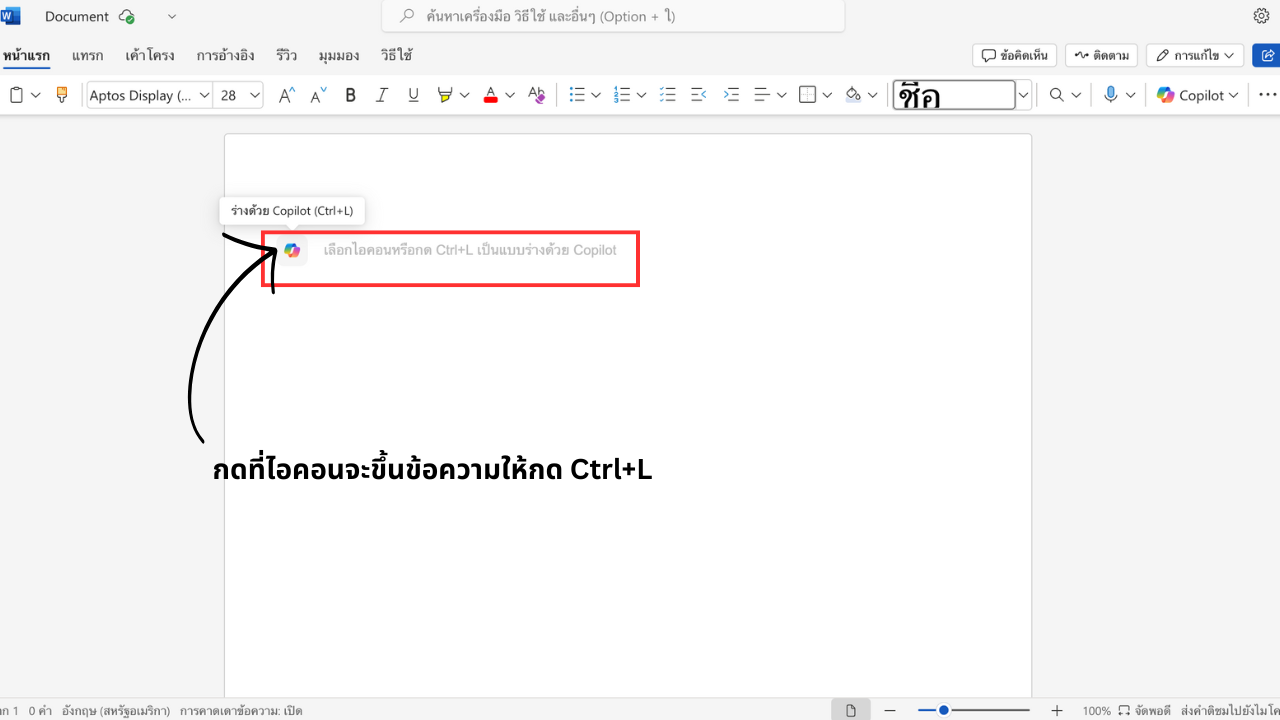
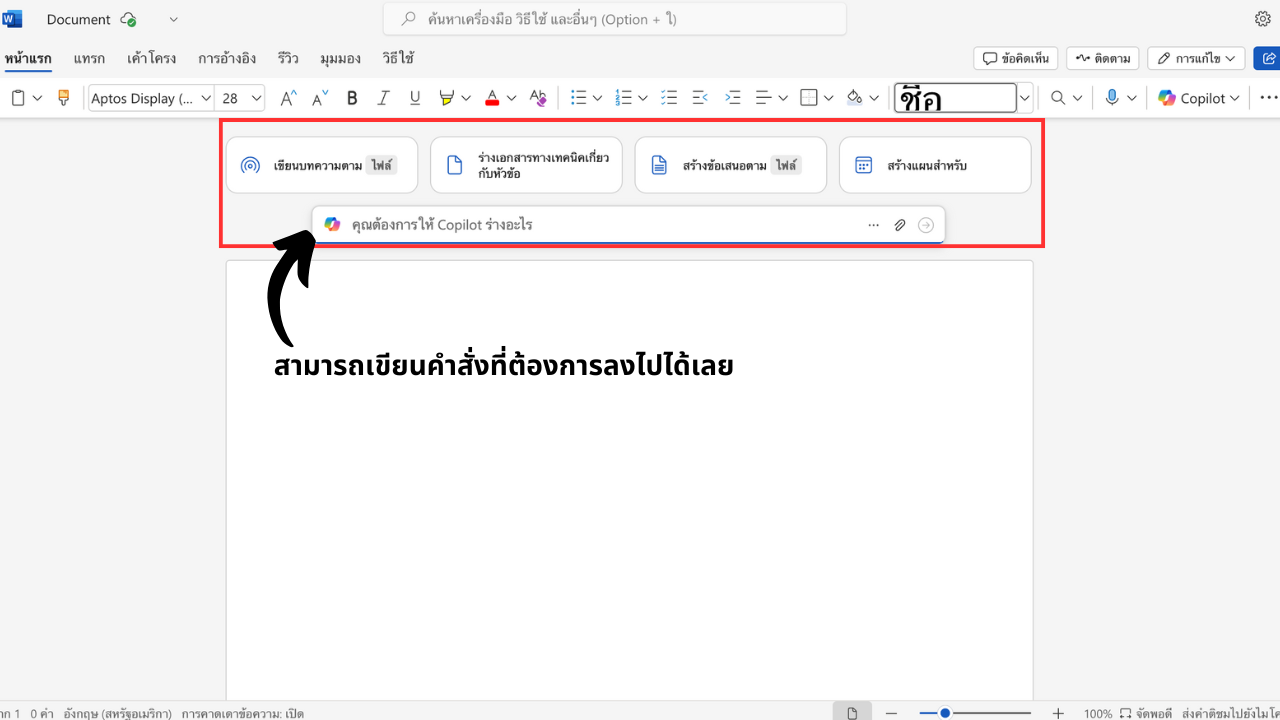
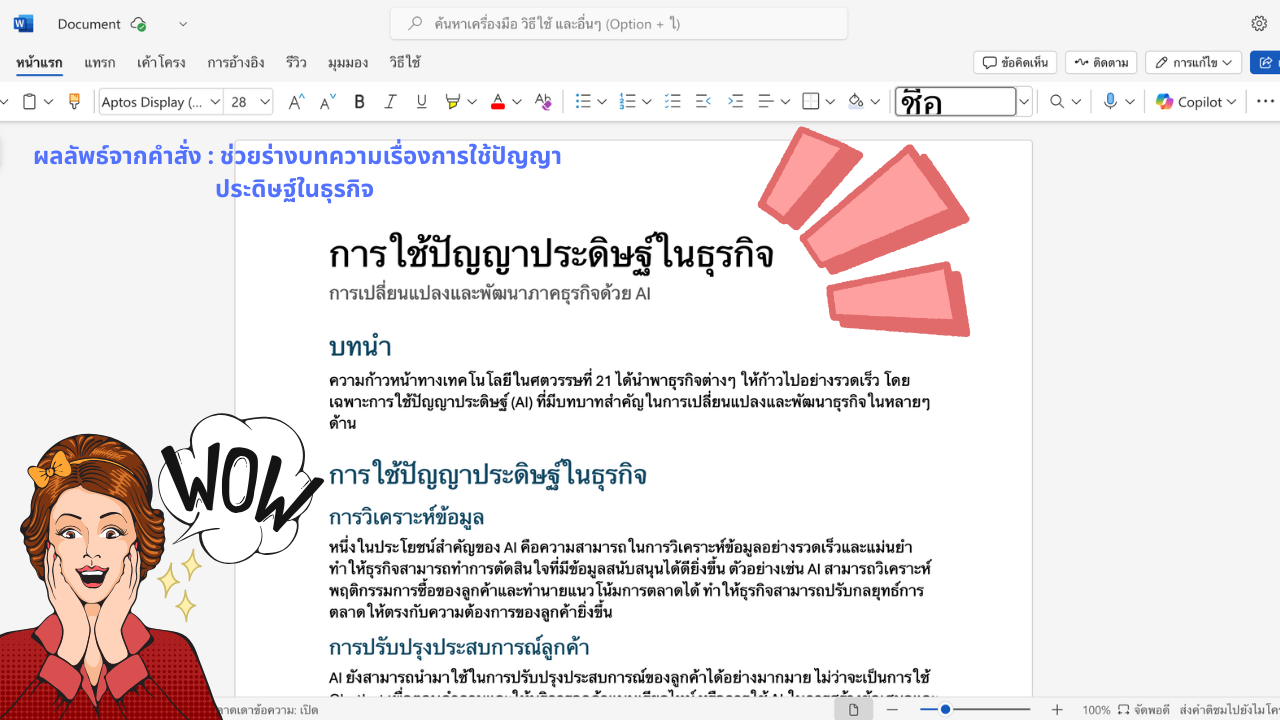
Word: Smarter Writing
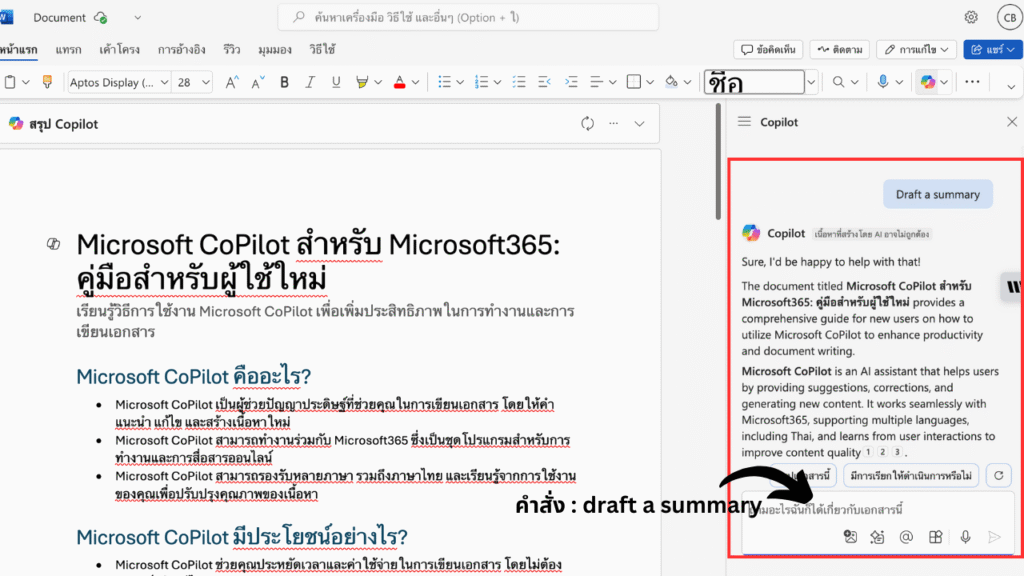
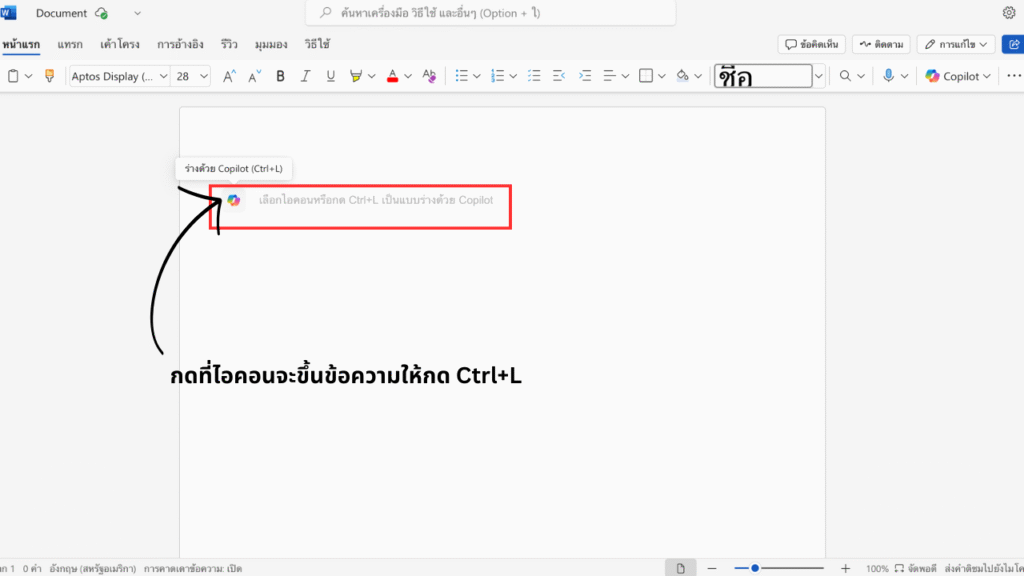
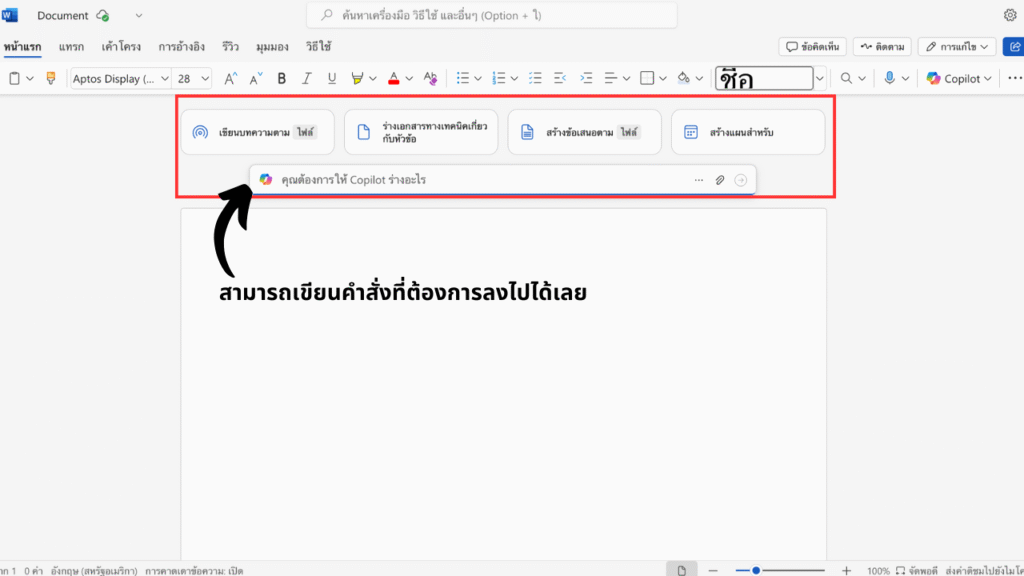
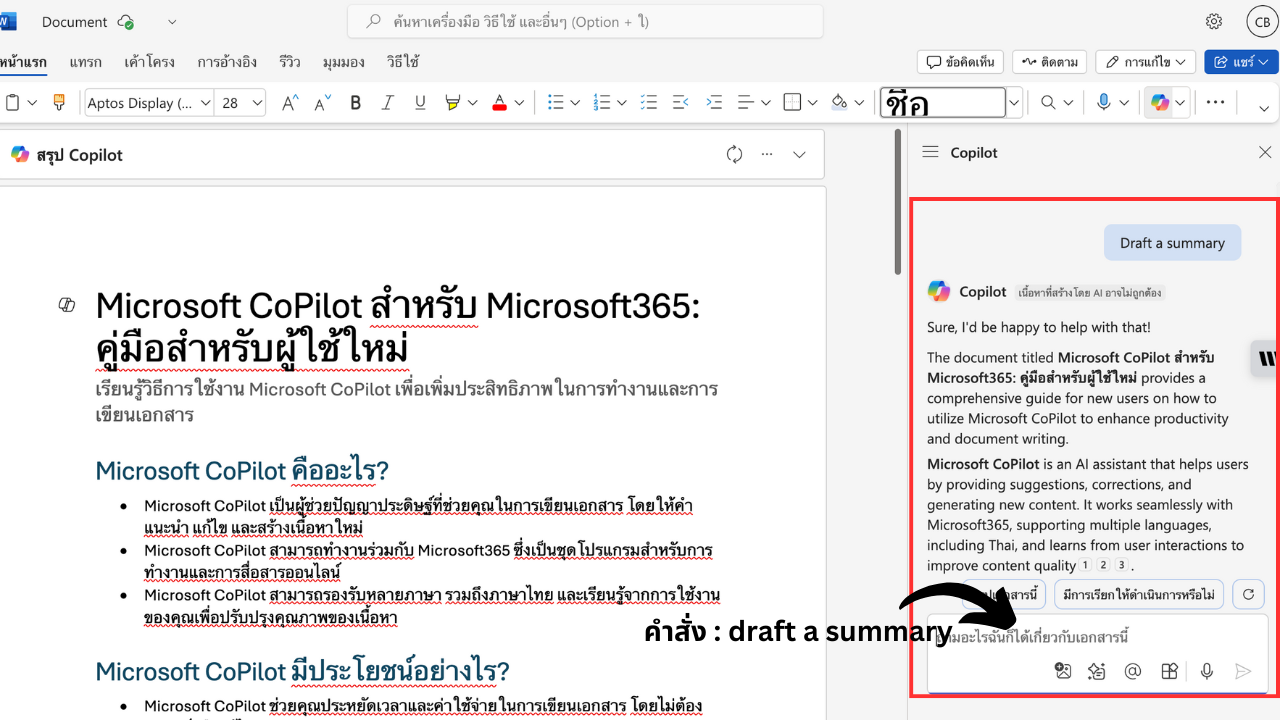
- Draft & Summarize: “Draft an executive summary” or “Summarize this report.”
- Improve Clarity: “Make this more concise” or “Adopt a professional tone.”
- Auto-Table of Contents: Generate a structured TOC instantly.
- OneDrive Integration: Pull in relevant content from your files.
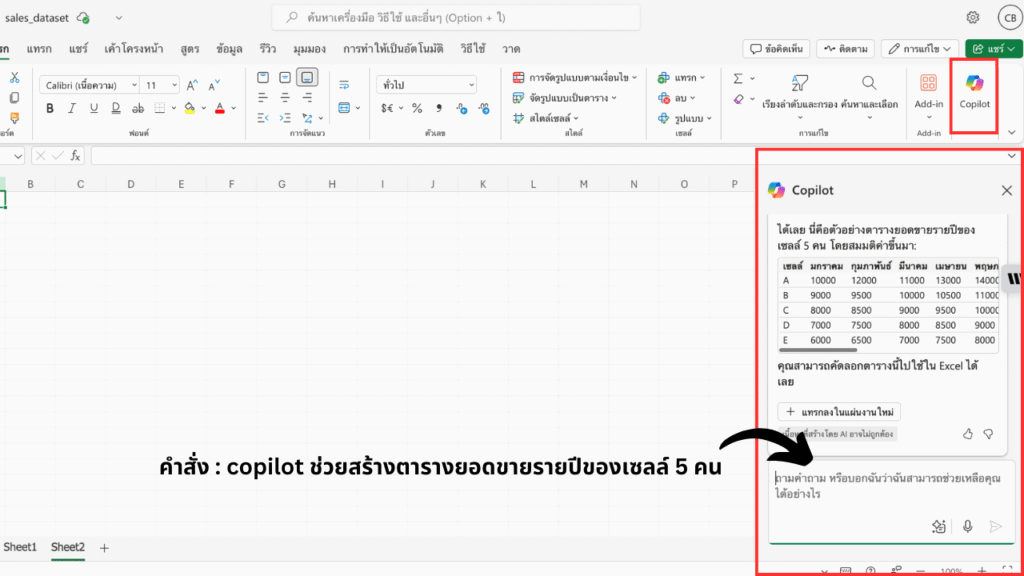
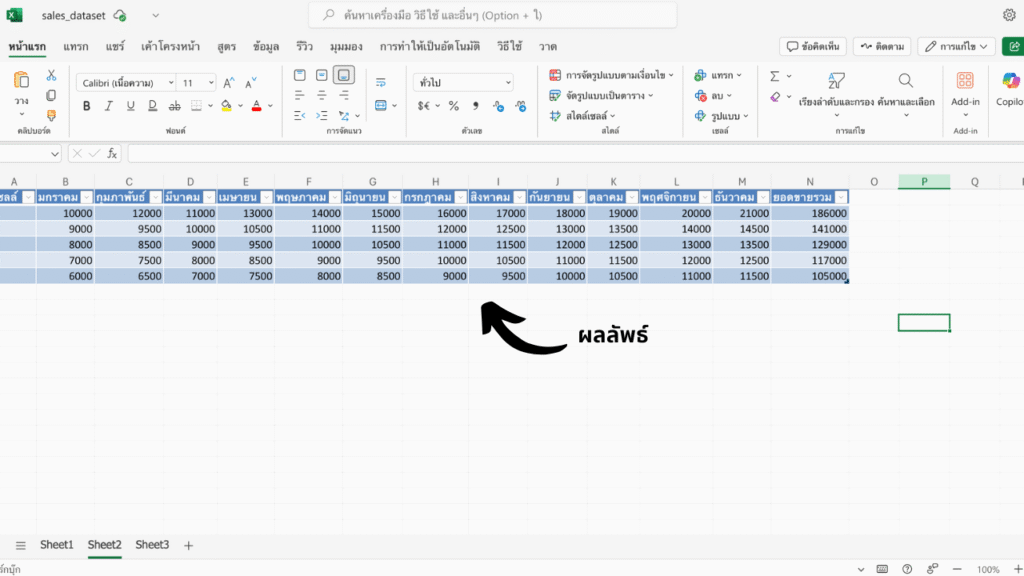
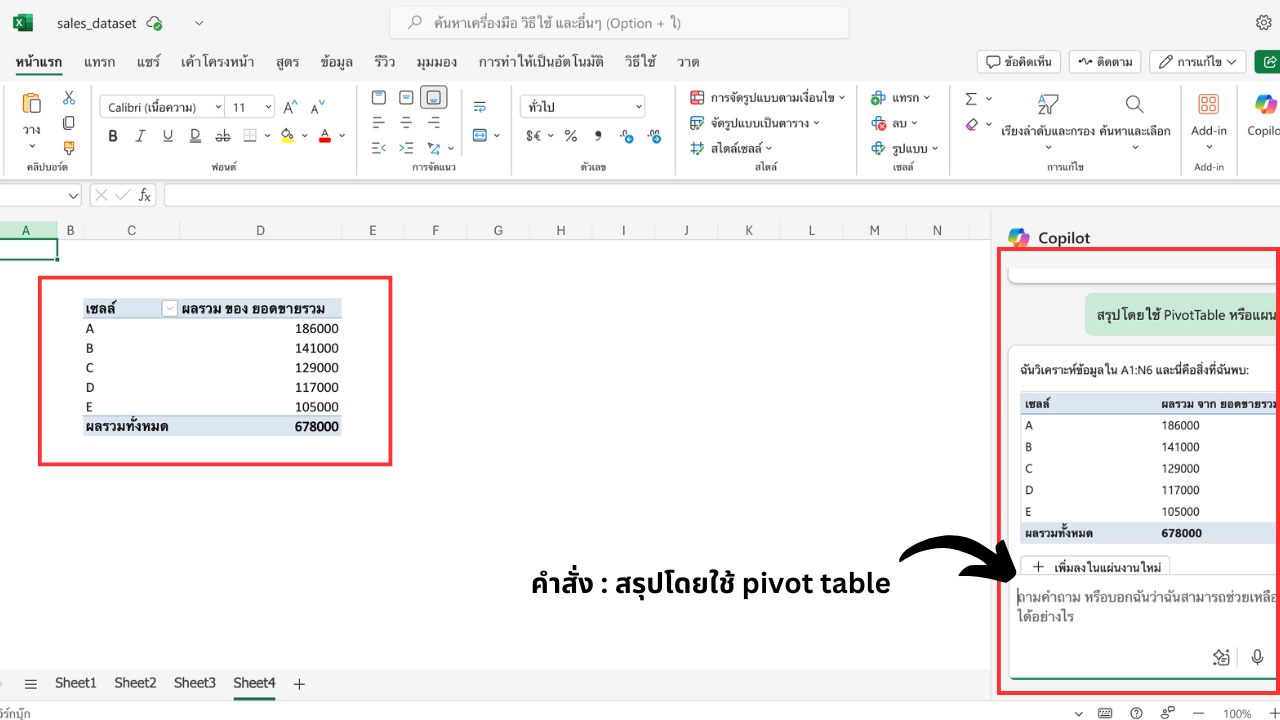
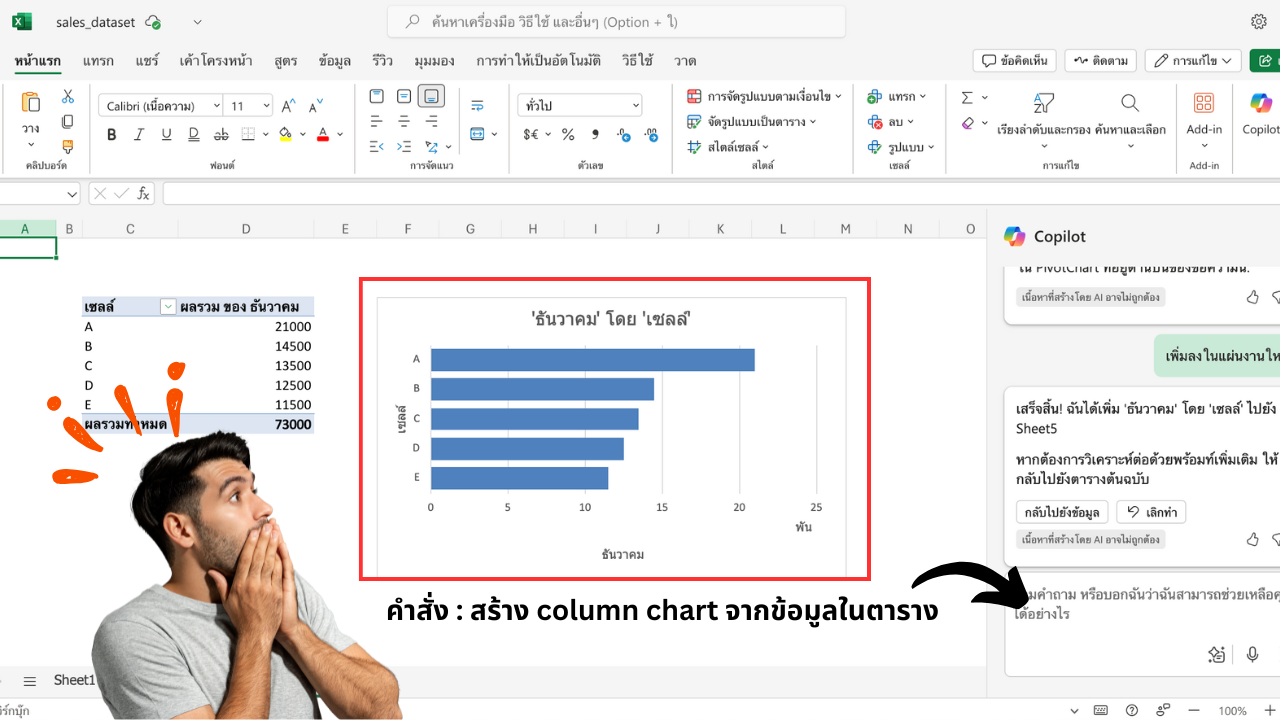
Excel: Professional Data Analysis
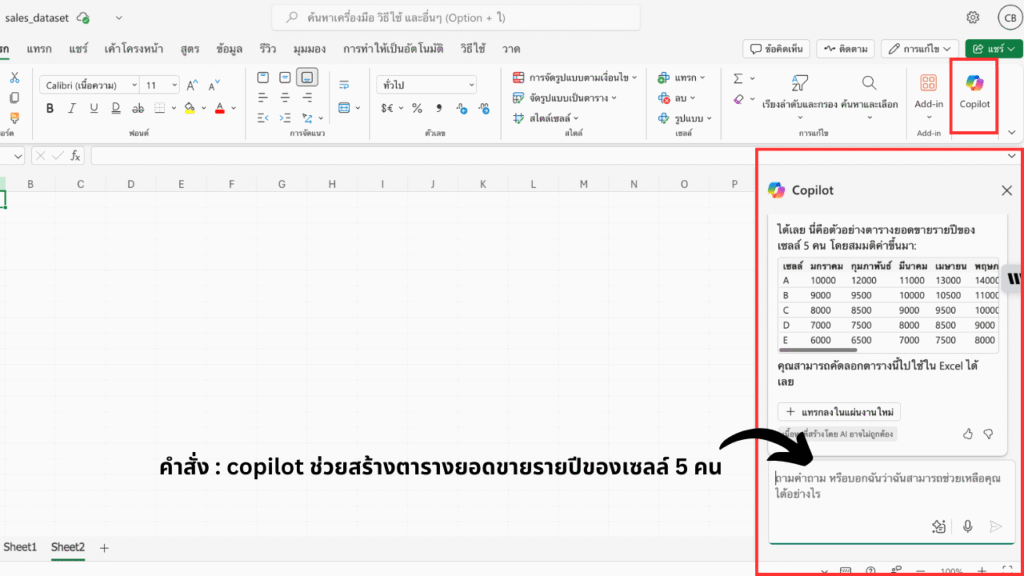
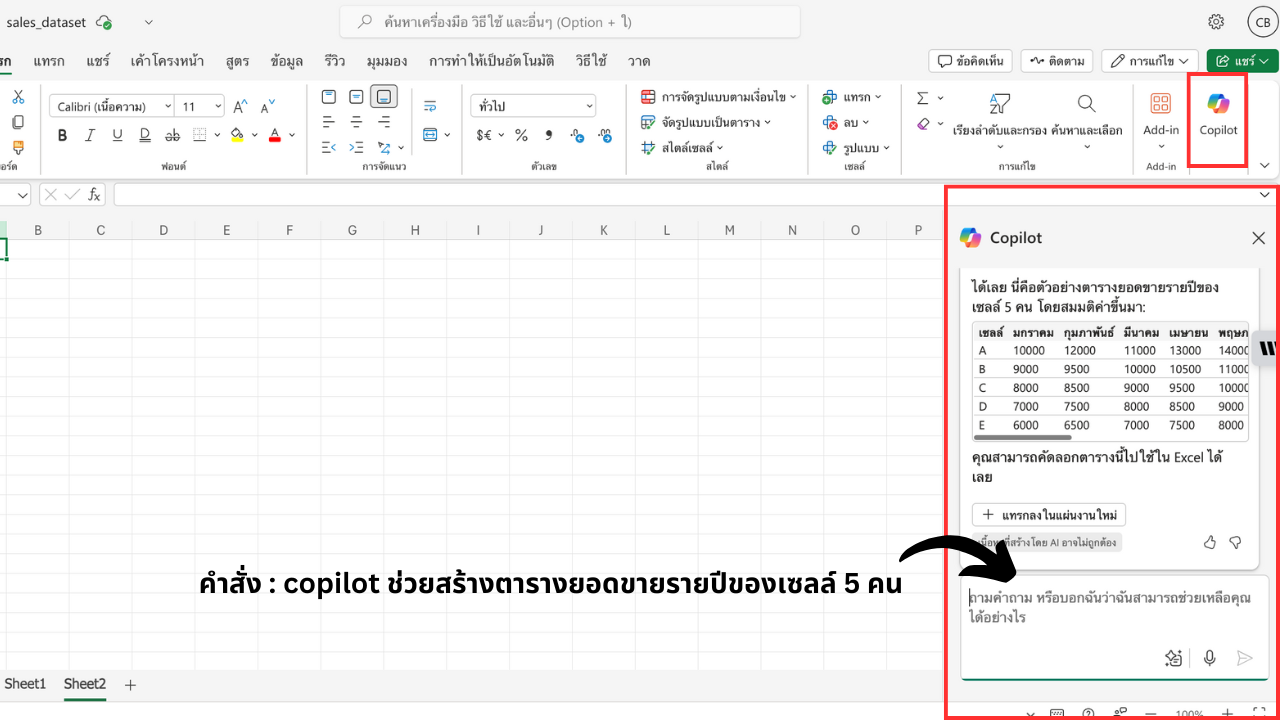
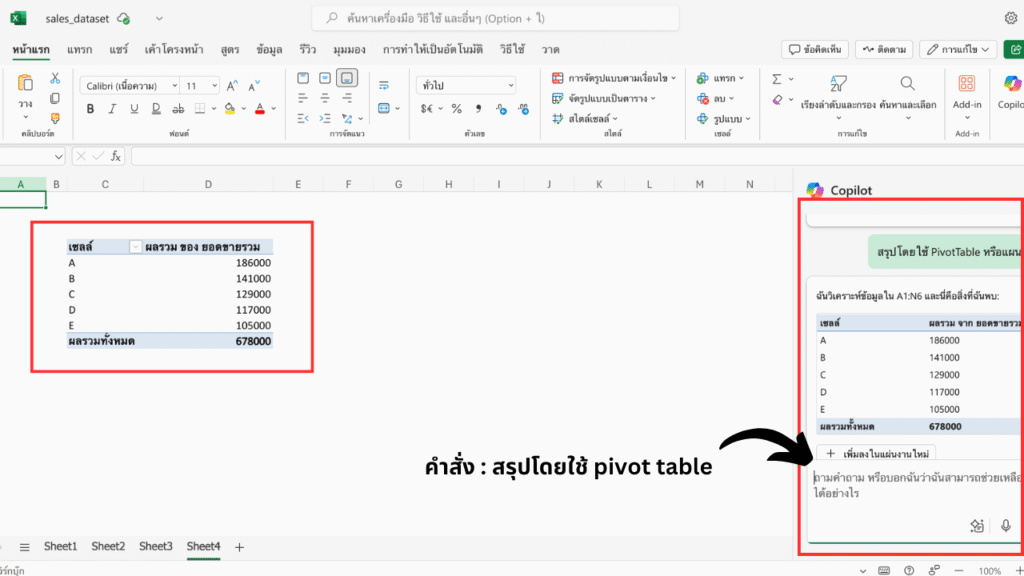
- Trend Insights: “Analyze sales trends.”
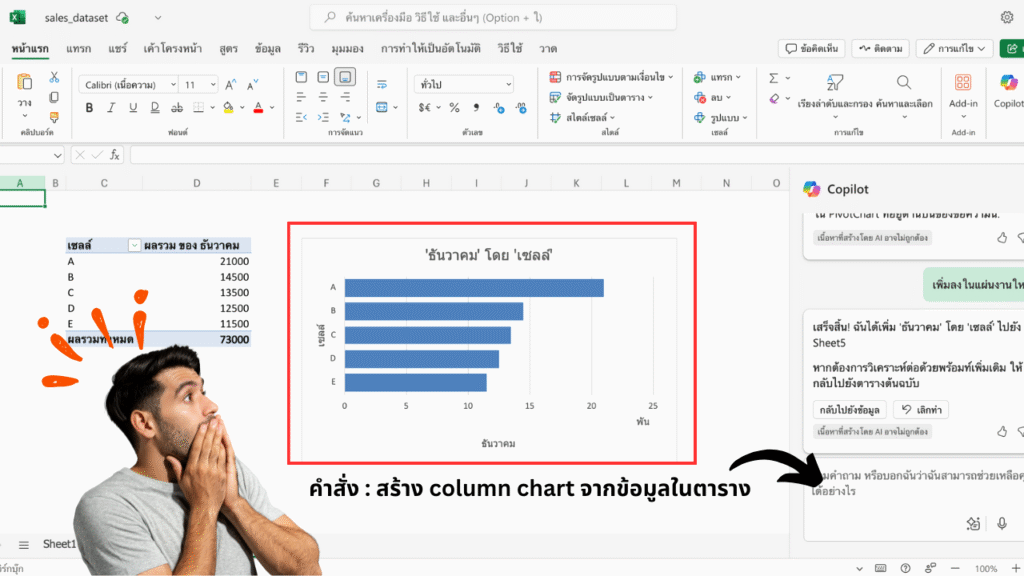
- Chart Generation: “Create a bar chart for this data.”
- Formula Help: “Build a formula to calculate quarterly growth.”
- Data Cleanup: “Remove duplicates and highlight errors.”
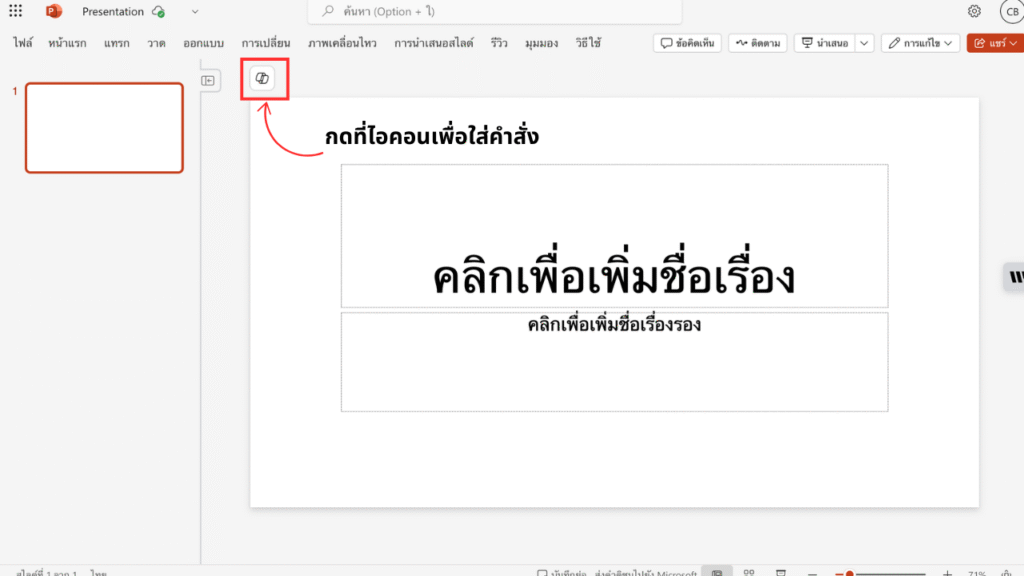
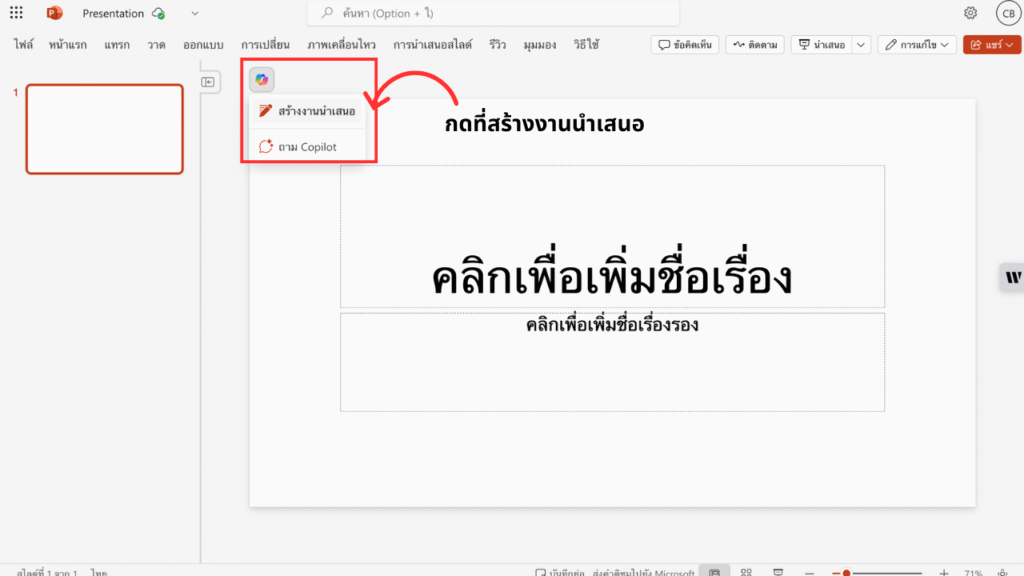
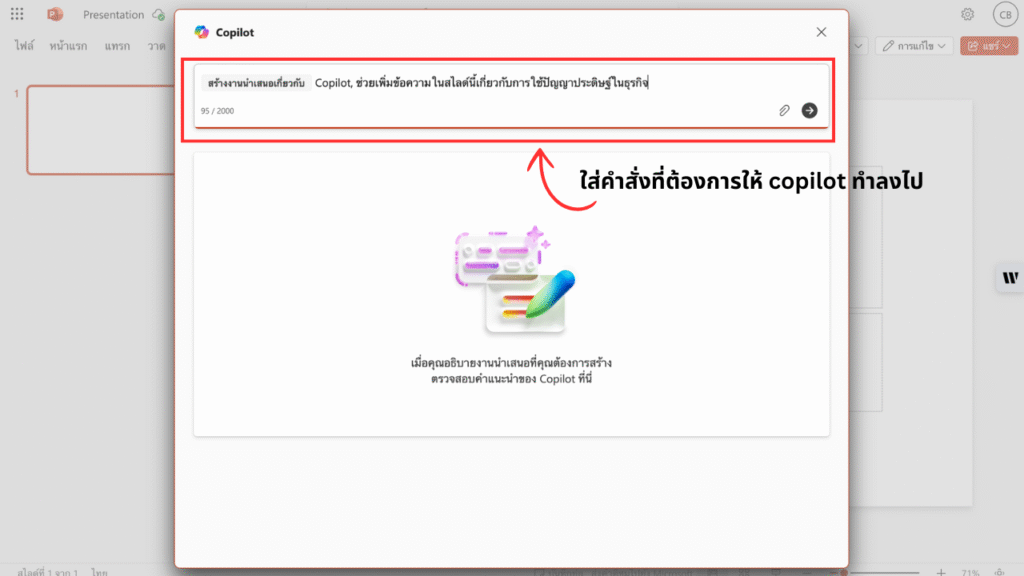
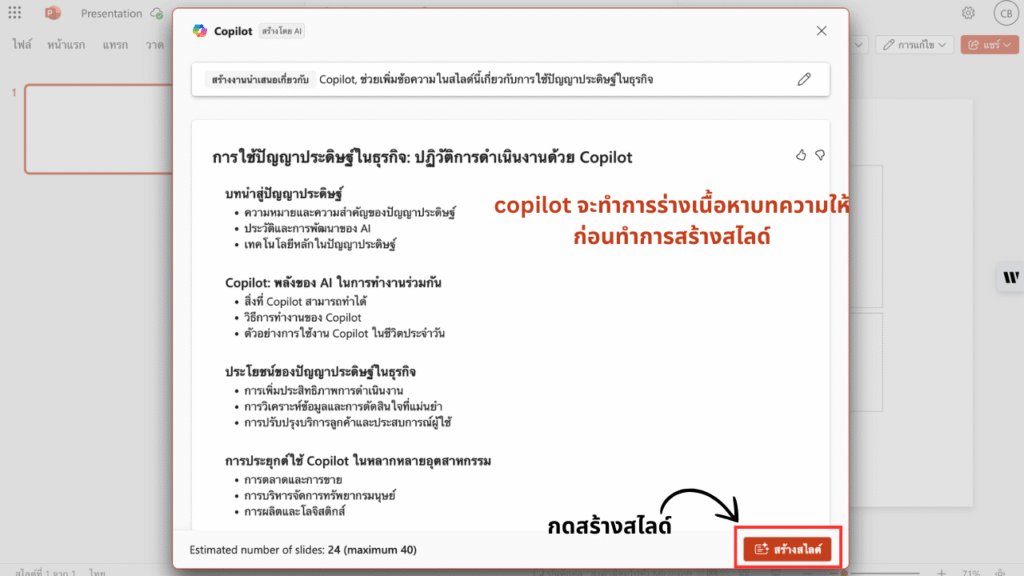
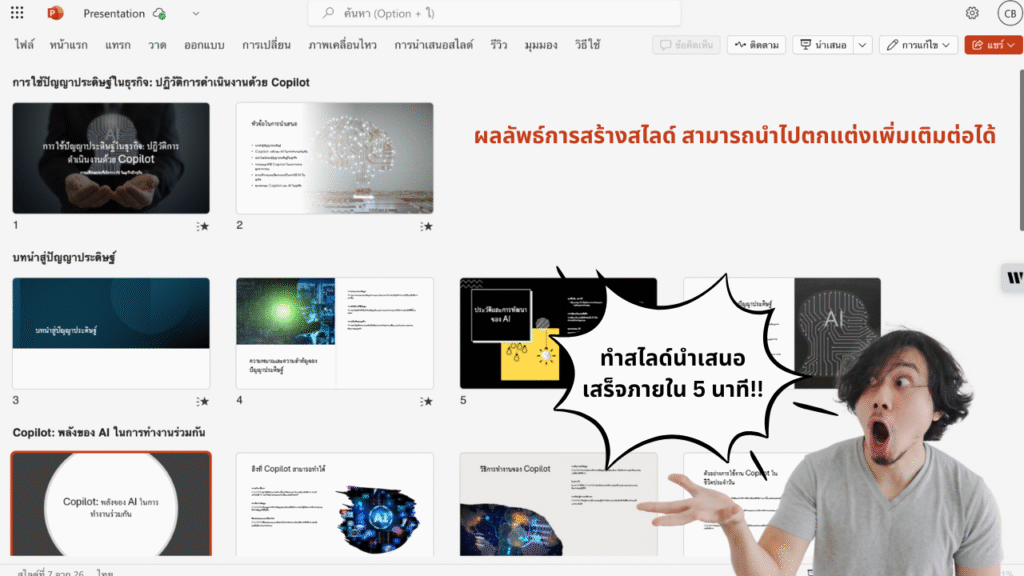

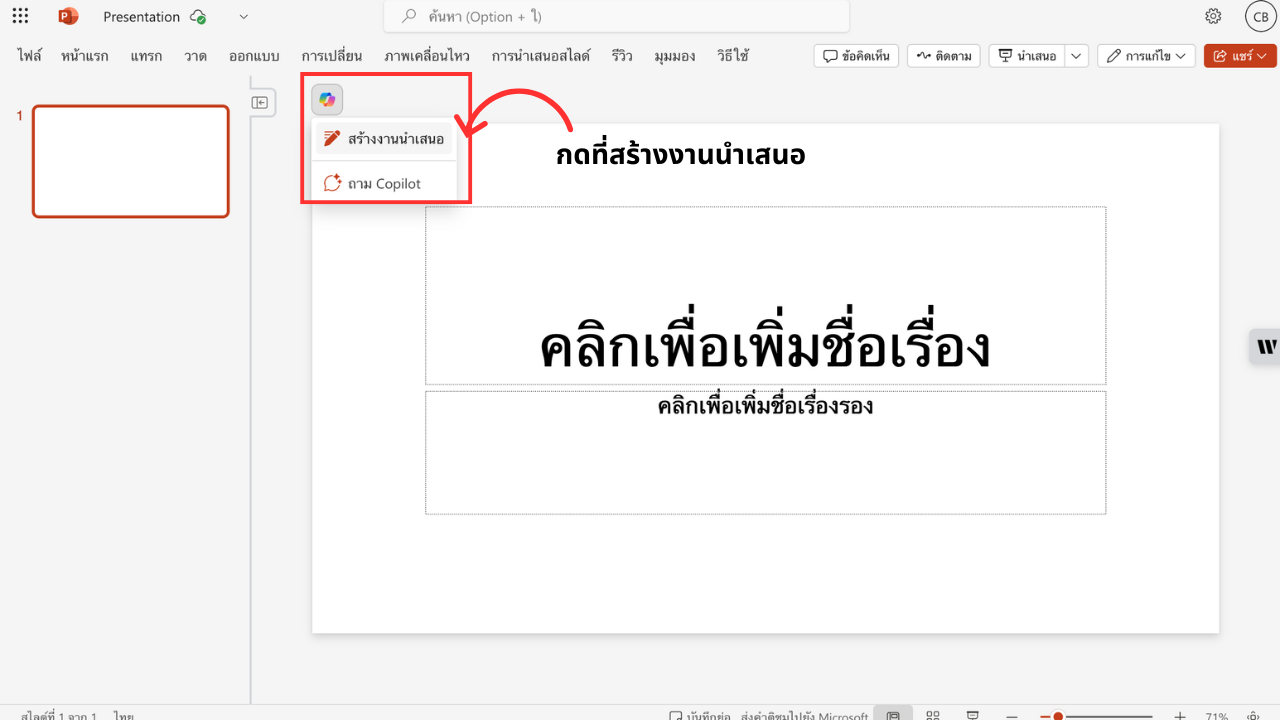
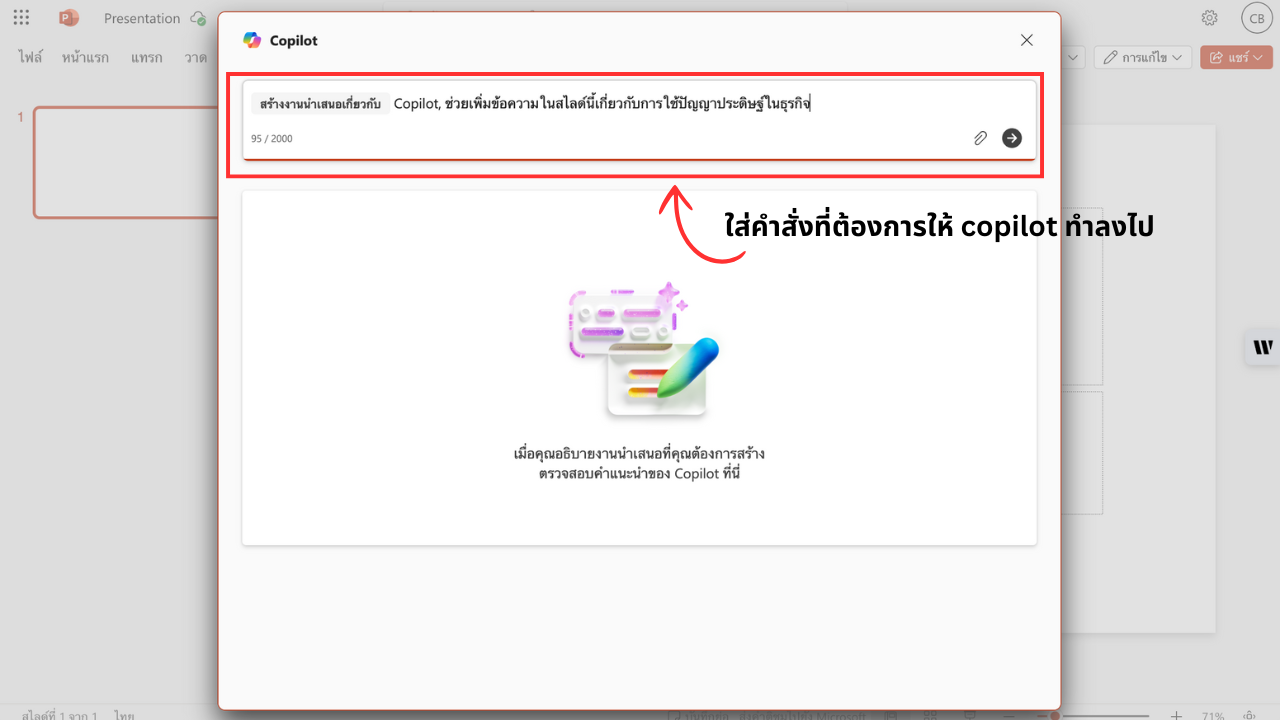
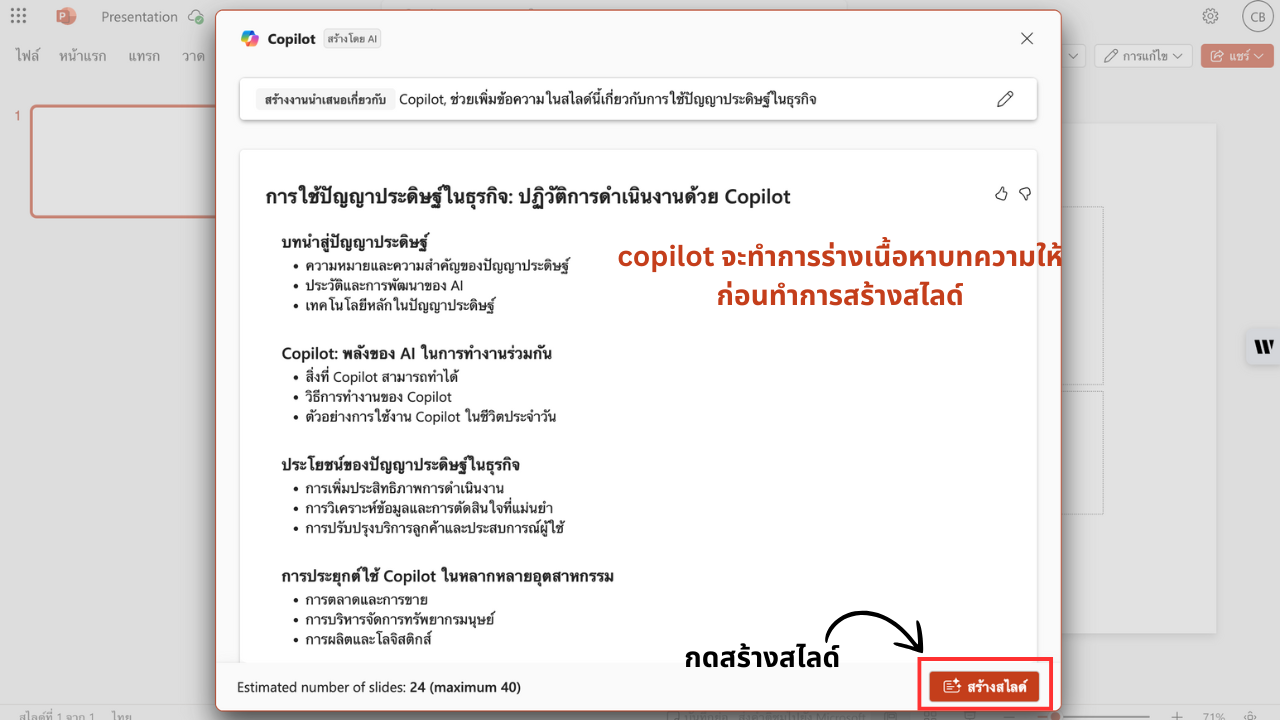
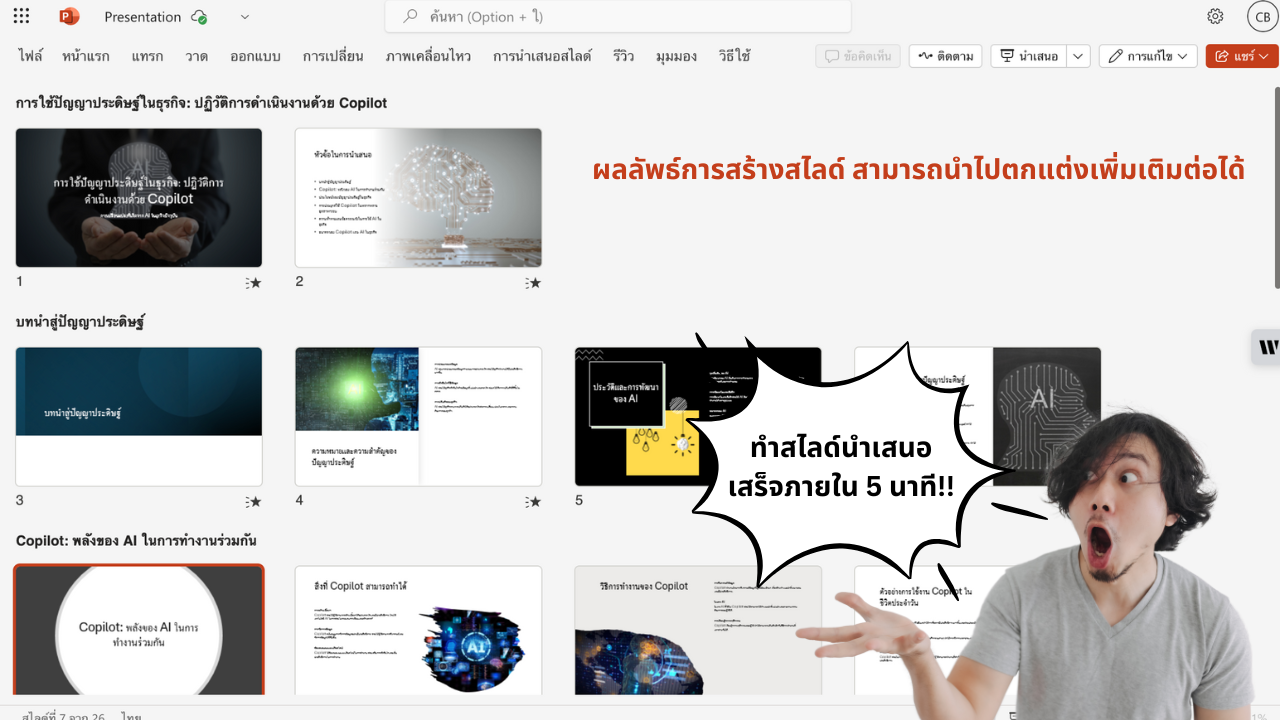
PowerPoint: Polished Presentations
- Slide Creation: “Generate slides from this outline.”
- Design Suggestions: “Apply a modern theme that matches our brand.”
- Speaker Notes: “Add key talking points for each slide.”
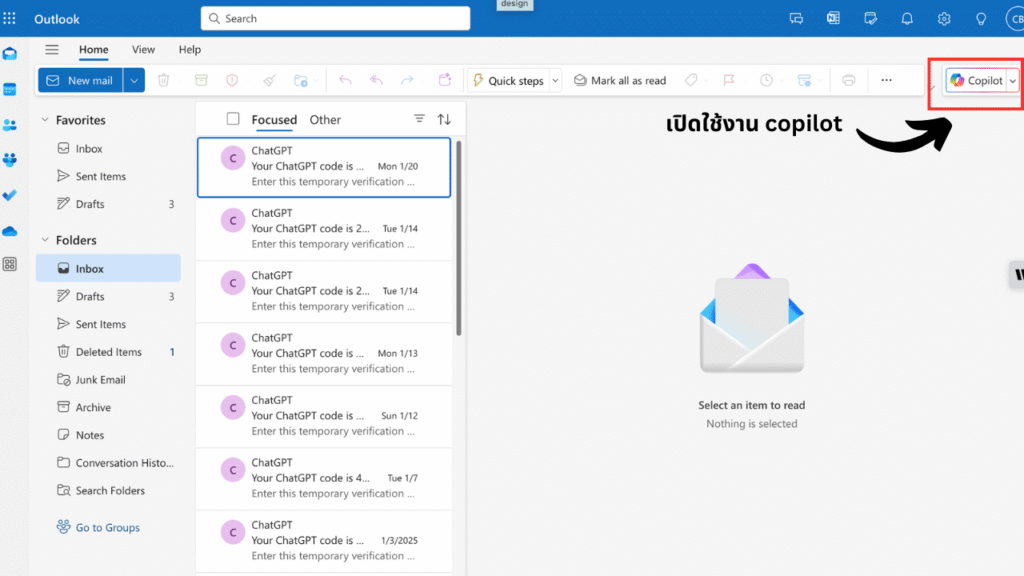

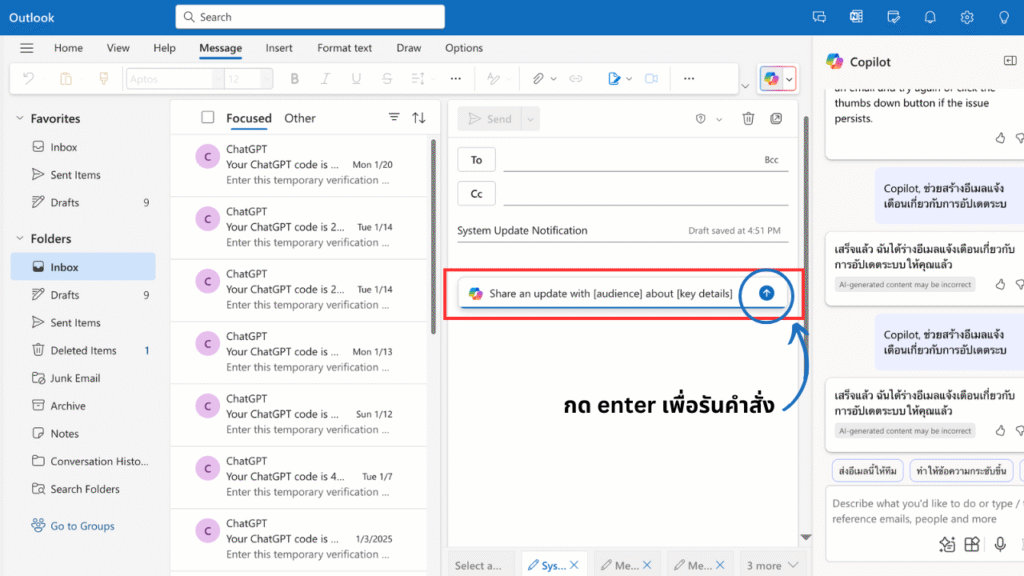
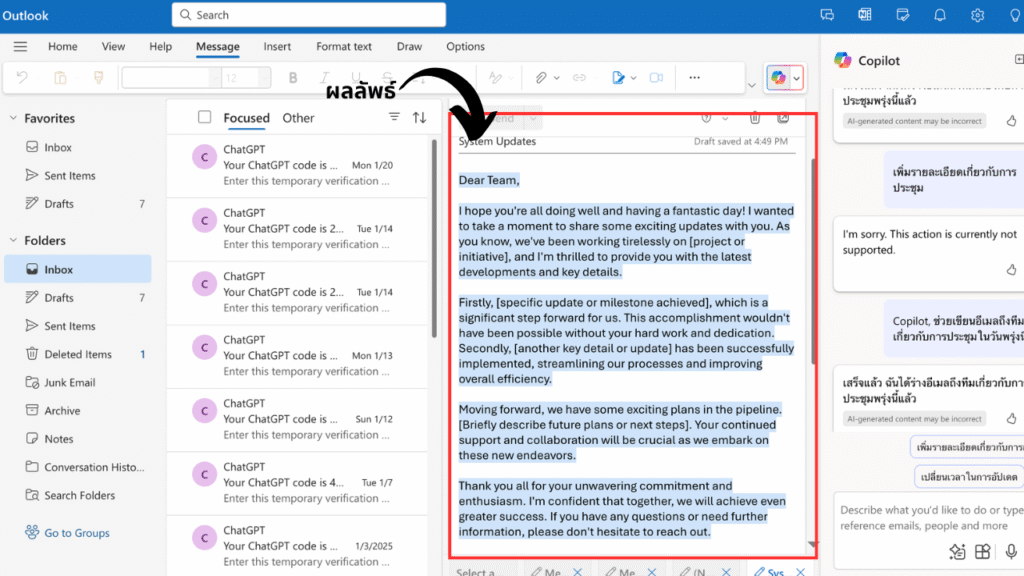
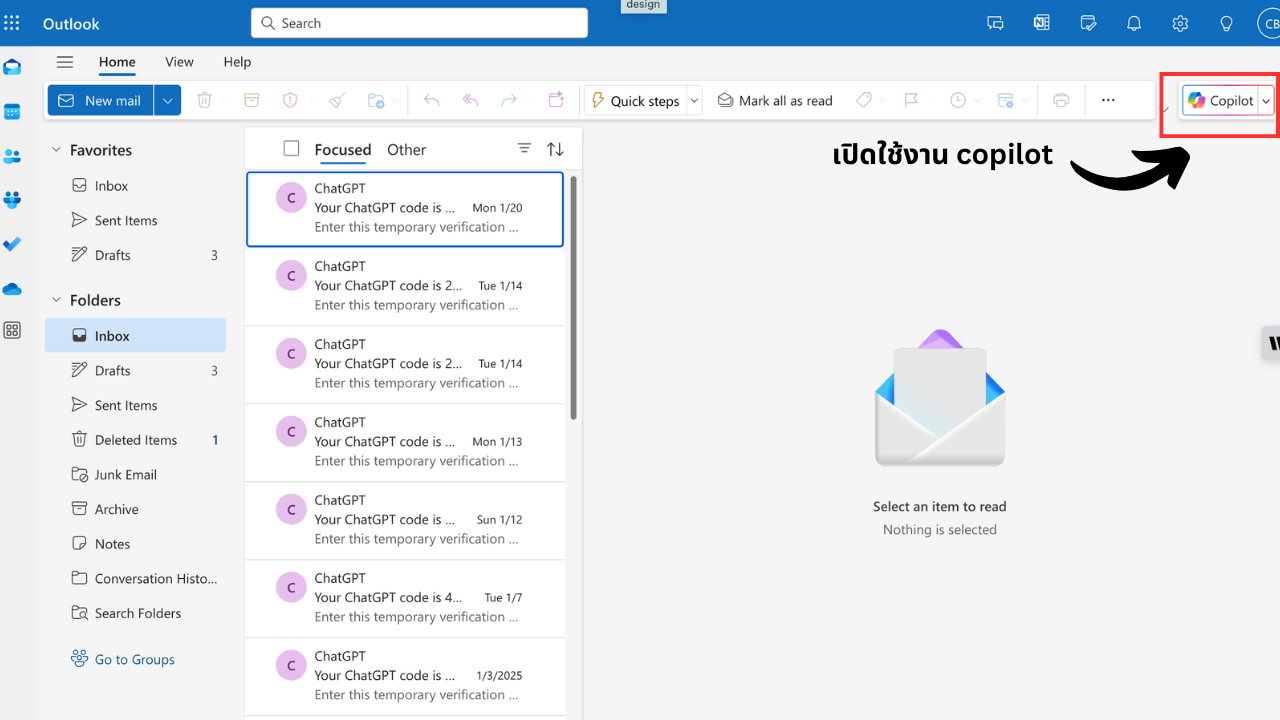
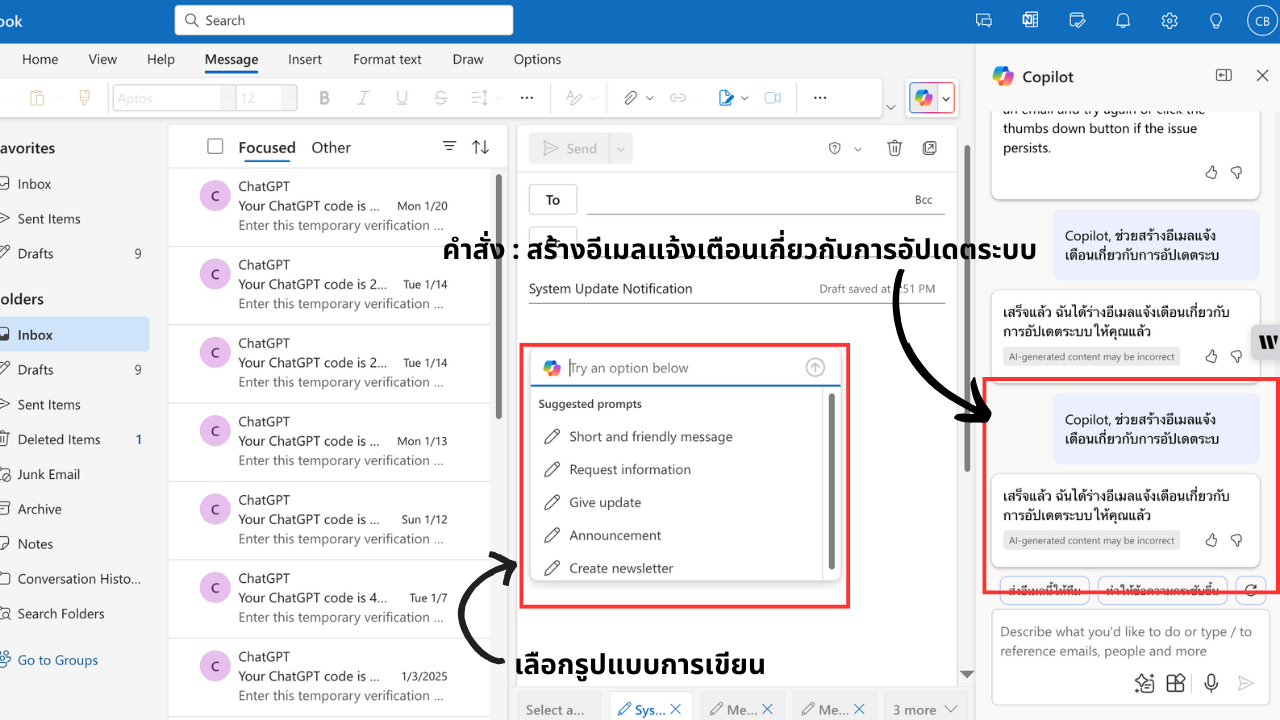
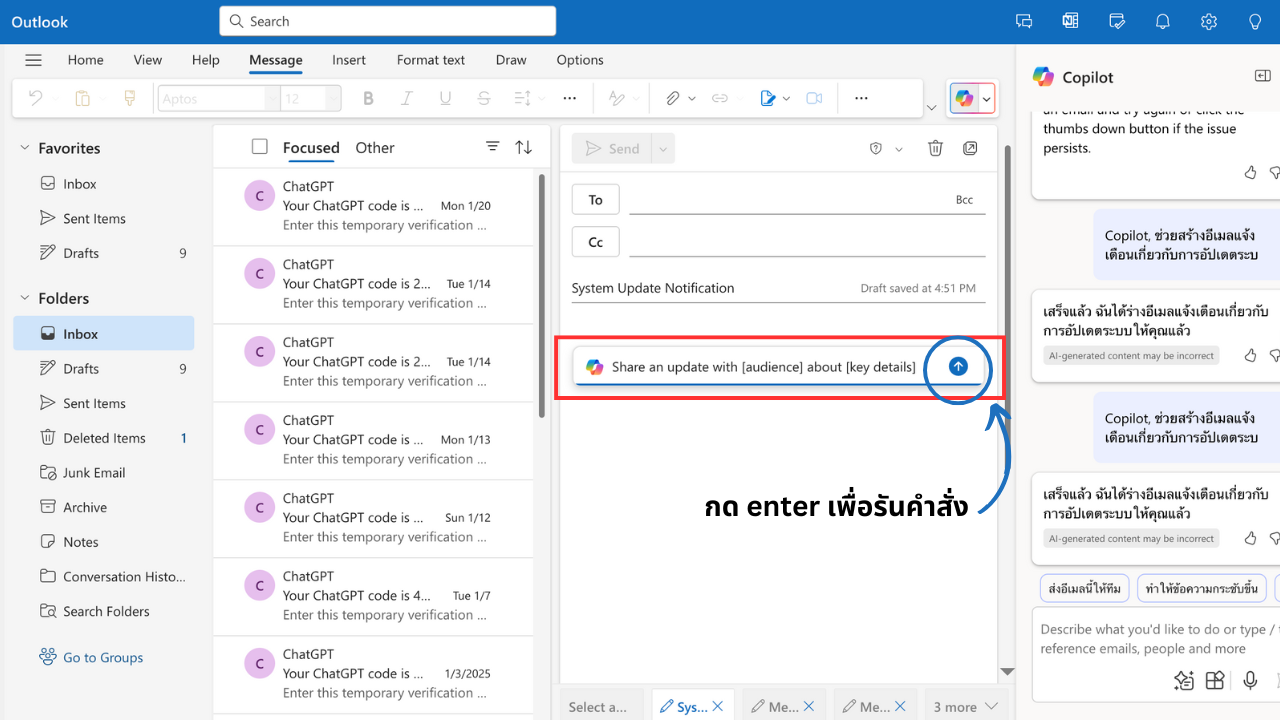
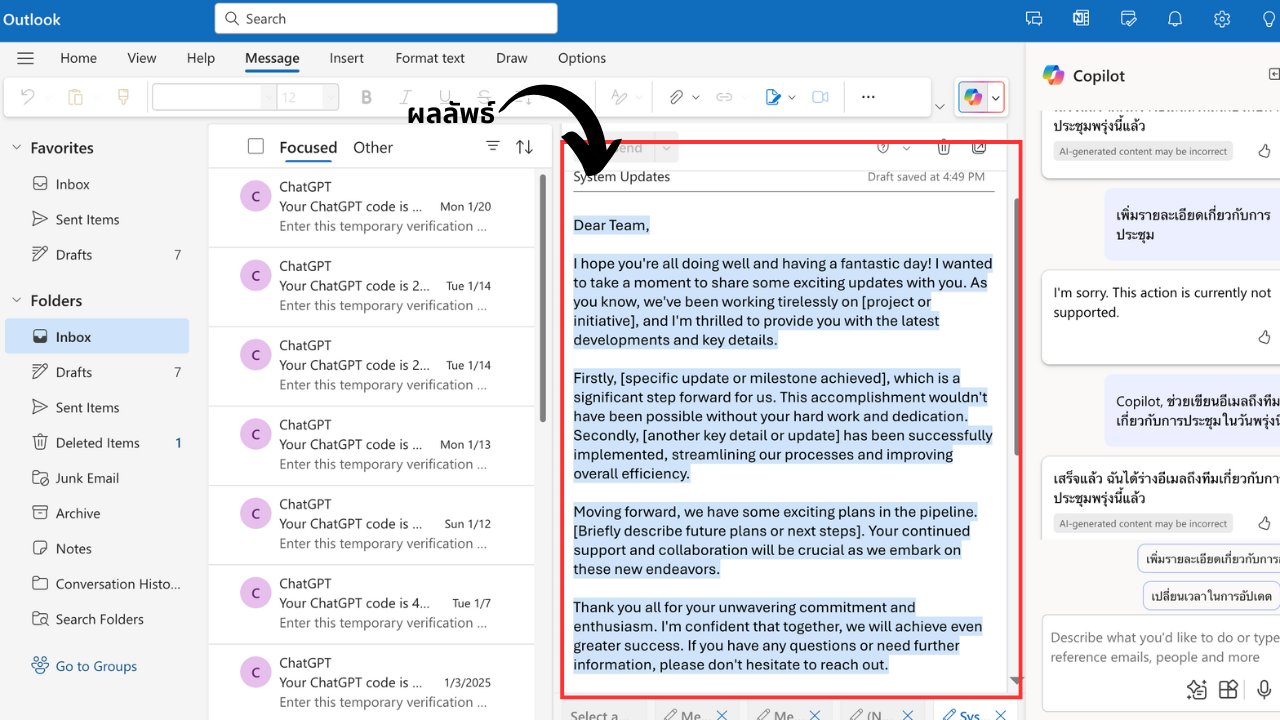
Outlook: Email & Calendar Management
- Email Summaries: “Summarize this long email thread.”
- Draft Replies: “Write a polite follow-up email.”
- Prioritize Inbox: “Flag important messages and suggest a schedule.”
Teams: Efficient Collaboration
- Meeting Recaps: “Summarize today’s meeting highlights.”
- Action Items: “List next steps for the team.”
- Contextual Insights: “Recommend resources based on our discussion.”
Pricing & Requirements
- Cost: $30 per user/month (approx. ฿1,016)
- Prerequisites: Microsoft 365 E3 or E5 (for business accounts only)
- Subscription: Monthly, cancel anytime; assign only to teams who need it.
Included Features
- Full AI capabilities in Word, Excel, PowerPoint, Outlook, and Teams
- Secure integration with OneDrive and SharePoint
- Enterprise-grade encryption and compliance
- Continuous AI feature updates
ROI & Alternatives
Investing in Copilot can boost team productivity by reducing manual work and improving output quality. If you’re not ready for Copilot, explore built-in Microsoft tools like Editor, Smart Lookup, and Power Automate to get some AI benefits today.
The Future of Copilot
Microsoft is continuously expanding Copilot’s reach—adding more app integrations, deeper contextual understanding, and advanced data-analysis features to keep your organization ahead of the curve.
Conclusion
With just a small monthly investment, Copilot in Microsoft 365 empowers your team to work faster, smarter, and more collaboratively. To learn how Copilot can transform your business, contact us at:
Telephone: 02-679-8877
Email: sales@blesssky.com